
Installation paths for alibaba66
We offer three main ways to access alibaba66 on mobile devices. Android users can download our APK file directly from our website—no app store required. iOS users access alibaba66 through Safari or Chrome and can add the web app to their home screen for a native-like experience. Desktop and tablet users can access the full web version through any modern browser. Each path provides the same account, the same game library, and the same payment options.
Why mobile access matters
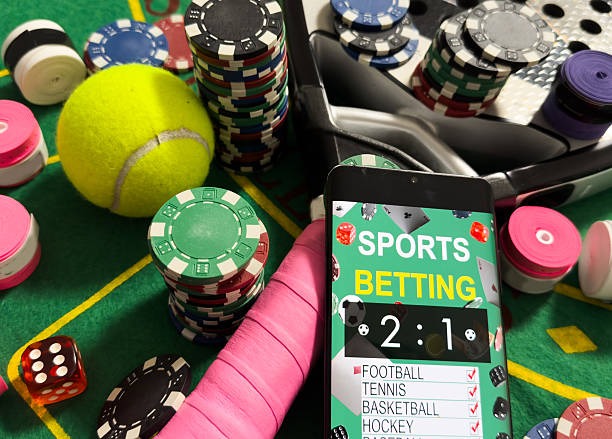
Mobile devices let you follow Liga 1 matches in real time, place bets during Piala Indonesia tournaments, and access live-dealer tables from anywhere. Push notifications keep you informed about new offers, withdrawal status, and account alerts. The app stores your login session securely, so you do not need to re-enter credentials every time.
We at alibaba66 prioritize mobile security. Two-factor authentication, encrypted data transmission, and verified withdrawal processing protect your account whether you access from Jakarta, Surabaya, Bandung, Medan, or Semarang.
Android APK installation for alibaba66
Android users download the alibaba66 APK file directly from our website. The process requires enabling "Unknown Sources" in your device settings—this allows installation of apps outside the Google Play Store. Once enabled, download the APK, tap the file, and follow the on-screen prompts. Installation takes about one minute. After installation, open the app, create your account or log in, and proceed to identity verification.
-
1
Download the APK fileStep 1
Visit alibaba66.app on your Android device and tap the download link for the APK file.
-
2
Enable Unknown SourcesStep 2
Go to Settings > Security > Unknown Sources and toggle it on. This allows installation from sources outside Google Play.
-
3
Install the appStep 3
Tap the downloaded APK file and follow the installation prompts. Grant permissions when requested.
-
4
Open and log inStep 4
Launch the app, create a new account or log in with your existing credentials, and complete identity verification.
Android 7.0 and later are supported. Older devices may not be compatible with the latest version of our app. If you encounter installation errors, check that you have enough storage space and that your device meets the minimum Android version requirement.
Key takeaways
- Android users download the APK directly; no app store required
- Enable Unknown Sources in Settings to allow installation
- Installation takes about one minute
- iOS users access alibaba66 through the browser and can add to home screen
- All platforms share the same account and payment methods
iOS browser access and home-screen shortcut
iOS users access alibaba66 through Safari or Chrome. Open your browser, navigate to alibaba66.app, and log in or create an account. To add alibaba66 to your home screen for quick access, tap the Share button, select "Add to Home Screen," and confirm. This creates a shortcut that opens alibaba66 in full-screen mode, similar to a native app. iOS 12 and later are supported. The web app works on all iPhones and iPads with compatible browsers.
App versus browser: which is right for you
The Android APK app offers offline account history, faster load times for live games, and push notifications for deposits, withdrawals, and cashback offers. The iOS web app and desktop browser version provide the same functionality but require an active internet connection for all features. Both paths support the full range of alibaba66 services: football betting on Liga 1 and Piala AFF, live-dealer tables with blackjack and Dragon Tiger, slots including Aviator and Sweet Bonanza, and esports markets for Mobile Legends and Free Fire. Choose the Android app if you want offline access and notifications; choose the browser if you prefer not to download or if you use multiple devices.

Device compatibility and system requirements
We at alibaba66 support Android 7.0 and later on phones and tablets. iOS 12 and later work with our web app through Safari or Chrome. Desktop browsers including Chrome, Firefox, Safari, and Edge are fully supported. Minimum storage space for the Android APK is approximately 50 MB. Devices with less than 1 GB of available RAM may experience slower performance. If your device is older or has limited storage, the browser version may be a better option.
Common installation issues and solutions
If you cannot enable Unknown Sources on Android, check that you are in the correct Settings menu—the option location varies by manufacturer. Some devices label it "Install from Unknown Sources" or "Allow Installation of Apps from Unknown Sources." If the APK file does not download, try a different browser or clear your browser cache. If installation fails midway, delete the partially installed app and try again. For iOS users, if the home-screen shortcut does not work, clear your browser cache and try adding it again. If you encounter certificate trust warnings, this is normal for direct APK downloads—tap "Install Anyway" to proceed. Contact our support team if problems persist.
We at alibaba66 design mobile access for security, speed, and convenience across all devices and jurisdictions.
Data, permissions, and account security on mobile
The Android app requests permissions for notifications, storage, and internet access. These permissions allow us to send you alerts about withdrawals, cashback during Idul Fitri and Idul Adha, and account security events. We do not access your contacts, photos, or other personal files. All data transmitted between your device and our servers is encrypted using industry-standard protocols. Your login session is stored securely on your device and is protected by your device's lock screen. If you lose your phone, log out remotely through your account settings or contact our support team to freeze your account. Two-factor authentication adds an extra layer of security to your account on all platforms.